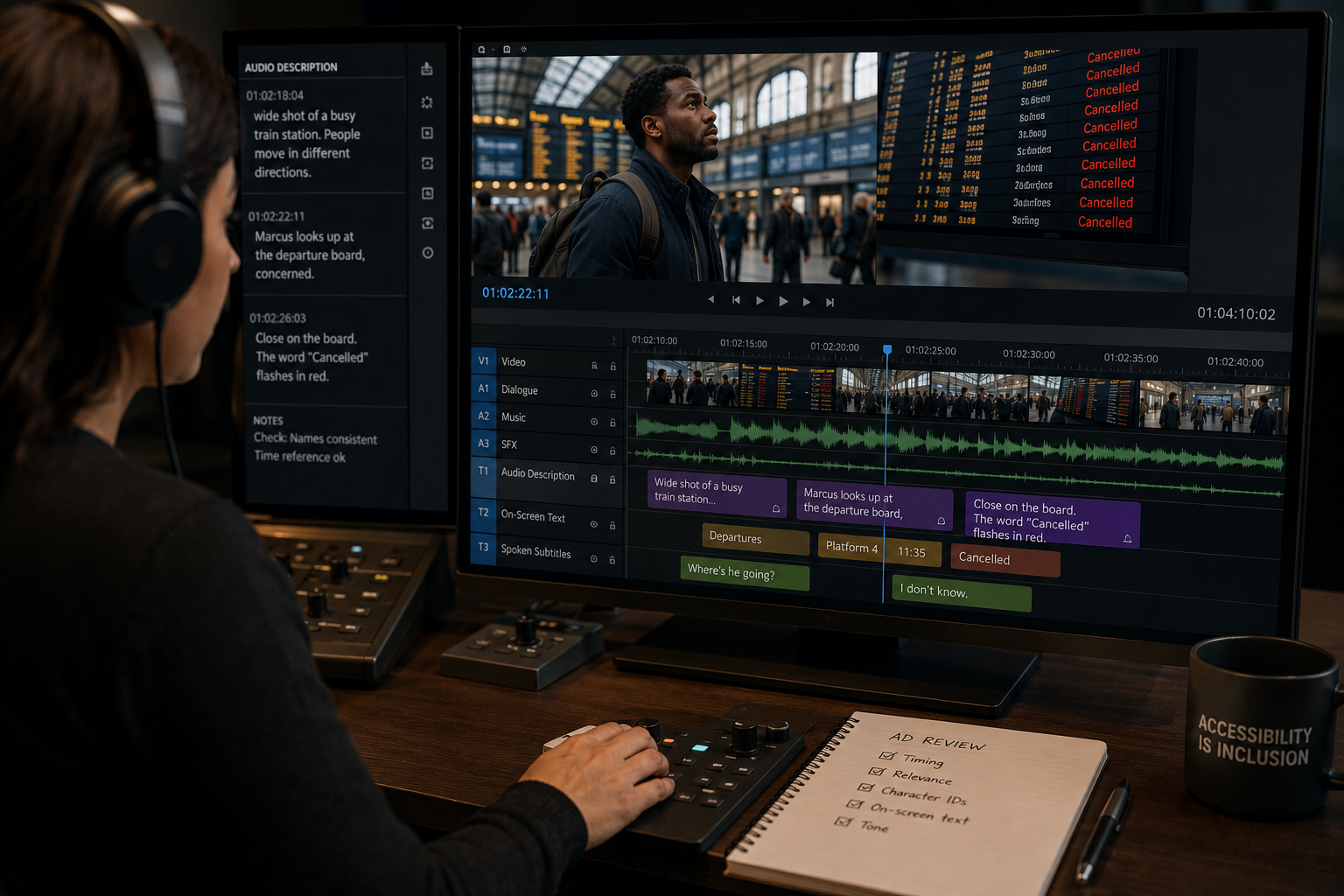
What Is Audio Description? A Complete Guide for Content Creators
Audio description (AD) is a narrated audio track layered over a video that describes visual information for blind and low-vision viewers — actions, scene changes, on-screen text, character expressions, and any visual detail that matters for understanding the content.
It is one of the four primary accessibility services for audiovisual media, alongside:
- Closed captions / subtitles (for deaf and hard-of-hearing viewers)
- Sign language interpretation
- Audio subtitles (for viewers who cannot read captions fast enough)
This guide answers the foundational questions: what audio description is, how it works, who benefits from it, what the law requires, and how modern AI tools have changed production.
How Does Audio Description Work?
Audio description is a separate audio track embedded alongside the main programme audio. Viewers activate it through their media player, TV, or streaming platform’s audio settings — typically labelled “Audio Description”, “AD”, or “Described Video”.
When active, the AD voice speaks between lines of dialogue, describing what is happening on screen. The descriptions are carefully timed to fit within natural pauses in the existing audio.
Example:
In a scene where two characters are talking, the dialogue stops for a moment. The AD voice says: “Sara pulls a photograph from her pocket and slides it across the table.” The next line of dialogue begins. The viewer now knows a photograph was produced — information a blind viewer would have missed without AD.
Who Benefits from Audio Description?
Blind and Low-Vision Viewers
Approximately 2.2 billion people worldwide have some form of visual impairment, according to the World Health Organisation. Of these, around 43 million are completely blind. For this audience, audio description is not an optional feature — it is the access technology that makes video content meaningful.
Neurodivergent Viewers
Research shows that audio description benefits ADHD viewers (by providing additional narrative anchors), autistic viewers (by making implicit social and visual cues explicit), and viewers with cognitive disabilities.
Situational Use Cases
Sighted viewers also use audio description in contexts where they cannot watch a screen: driving, cooking, exercising, or any activity where eyes are otherwise occupied. This “situational disability” use case is growing rapidly as smart home devices and podcast-style media consumption increase.
What Does Audio Description Actually Sound Like?
Good audio description is:
- Concise — descriptions fit within dialogue gaps, often 2–8 seconds
- Present-tense — “He draws his weapon” not “He drew his weapon”
- Neutral — descriptive rather than interpretive (“She clenches her jaw” not “She looks furious”)
- Selective — focused on plot-relevant visual information, not exhaustive visual cataloguing
The AD voice is typically a neutral, clear voice distinct from the programme’s cast — so viewers can easily distinguish description from dialogue.
Types of Audio Description
Standard Audio Description
Descriptions inserted into existing gaps in the dialogue and audio track. This is the most common form and the standard for narrative film, television, and streaming content.
Extended Audio Description
In information-dense scenes where dialogue gaps are too short for sufficient description, the video is briefly paused to allow a longer description to be delivered, then resumes. Used in educational content and documentaries more than in film.
Real-Time / Live Audio Description
For live broadcasts (sports, news, ceremonies), describers watch the feed and narrate live. Lower quality than pre-produced AD due to time pressure, but increasingly common for major events.
Descriptive Narration
Some content uses the original narrator or filmmaker to incorporate description into the main audio track. Common in nature documentaries. Not a separate AD track, but can eliminate the need for one.
Why Is Audio Description a Legal Requirement?
Audio description requirements exist in every major jurisdiction:
European Union — European Accessibility Act (2025)
The EAA (Directive 2019/882/EU) requires audiovisual media services to provide audio description for pre-recorded content as of June 28, 2025. References EN 301 549 / WCAG 2.1 AA standard.
United States — ADA and CVAA
The Americans with Disabilities Act (ADA) and the 21st Century Communications and Video Accessibility Act (CVAA) require top broadcast networks and major streaming platforms to provide audio description for programming in the top 25 US television markets.
United Kingdom — Ofcom
Ofcom requires UK broadcasters to provide a minimum percentage of content with audio description — currently 10% for main commercial channels, rising over time.
WCAG 2.1 / 2.2
Success Criterion 1.2.5 (Level AA) requires audio description for all pre-recorded video content on websites and web applications. Referenced by the EAA, Section 508, and most national web accessibility laws.
How Much Does Audio Description Cost?
Traditional Production
Traditional AD is produced by a human describer who watches the content, writes a script, and books a recording studio with a voice actor. Costs:
- €500–€1,500 per hour of finished content (EU market)
- $800–$2,000 per hour (US market)
- 2–4 weeks production time per title
These costs have historically made back-catalogue compliance impractical for large libraries.
AI-Assisted Production
AI platforms like Synchrogen automate the scene detection, gap mapping, script generation, and voiceover stages. Costs:
- $2.50 per minute of video (Synchrogen’s production rate)
- Minutes, not weeks to deliver a first draft
- Human review time of approximately 1–2 hours per hour of content
AI-assisted AD has made compliance realistic for catalogues of hundreds or thousands of hours.
How to Produce Audio Description for Your Content
Step 1: Assess Your Content Library
Identify all video content that requires AD under the regulations applicable to your business. Prioritise by: audience size, recent releases, and jurisdictional deadlines.
Step 2: Choose a Production Method
For small volumes (under 10 hours): a traditional AD service may be sufficient. For large volumes or tight deadlines: AI-assisted production is the only practical path to compliance.
Step 3: Brief for Your Audience
Provide contextual materials to your AD producer or AI platform: character list with descriptions, glossary of technical or proper nouns, tone guide for the genre.
Step 4: Review for Quality
Don’t just check that an AD track exists. Review it with audio-only playback to verify that a viewer without the picture can follow the narrative.
Step 5: Integrate into Your Delivery Pipeline
AD tracks must be embedded in your masters and surfaced through your player’s audio selection controls. Work with your post-production facility or streaming platform to confirm correct delivery.
Frequently Asked Questions
Is audio description the same as subtitles?
No. Subtitles/captions transcribe spoken dialogue and are used by deaf and hard-of-hearing viewers. Audio description narrates visual information and is used by blind and low-vision viewers. Both are required for full accessibility compliance.
Does audio description affect sighted viewers?
AD is a selectable track — it is off by default and only plays when a viewer explicitly activates it. Sighted viewers who do not select it hear the programme audio unchanged.
Can I use text descriptions instead of an audio track?
Under WCAG Level A (SC 1.2.3), a full text transcript can substitute for an AD track. Under WCAG Level AA (SC 1.2.5) — which most legal frameworks require — a synchronised audio track is mandatory. A text document alone does not satisfy Level AA.
What languages does audio description need to be in?
AD must be in the language(s) required by the applicable regulation. For EU compliance across member states, AD in each country’s official language(s) is expected for local distribution.
How do I make my existing video player support audio description?
Your player must support multi-track audio and expose track selection to users in a way that works with screen readers and OS accessibility features. HTML5 <track> elements and the Media Source Extensions API support this. Streaming platforms (Netflix, Disney+, etc.) have their own AD delivery specifications.
Conclusion
Audio description is the access technology that makes visual media accessible to the 2.2 billion people worldwide with visual impairments. It is required by law in the EU, US, and UK. And with AI-powered production tools reducing the cost and time to produce it by 90%, there is no longer a practical barrier to compliance.
The question is not whether to provide audio description. It is how quickly you can get there.
Learn how Synchrogen can help you comply →